SPECIFICATIONS
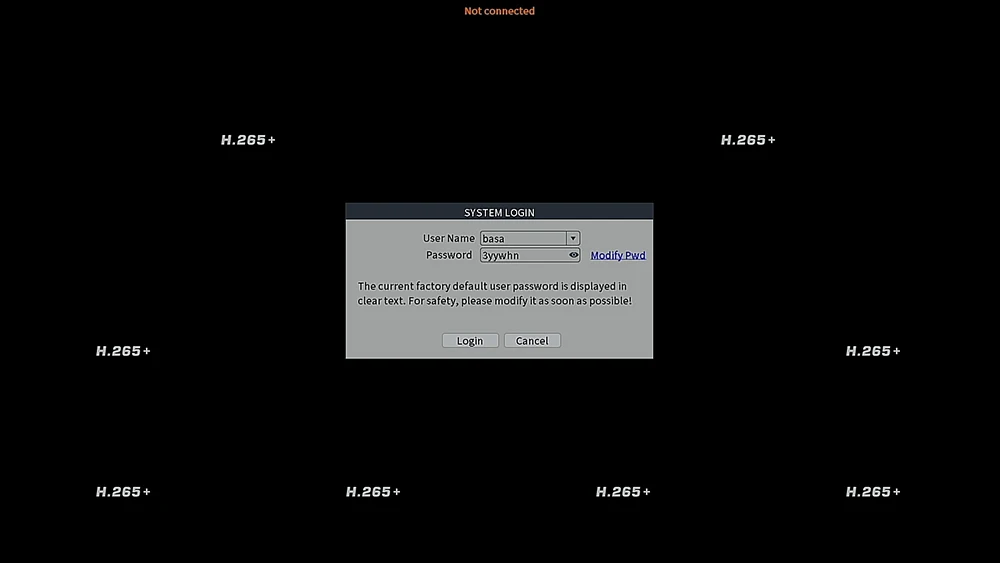
The latest password rules:
The system will randomly generate a username and password. Please remember this password or change it to your own password during first use.
This password will be displayed when using the VMS PC client or when connecting to a monitor. It cannot be obtained by any other method.
If you forget this password, click "modify pwd" on the right side of the password input field, then select “forget password answer”. The system will then display a verification code and QR code. Please use the Xmeye Pro APP to scan this QR code and retrieve the super password. A demonstration video is also provided for this process.
AI Detection Notes
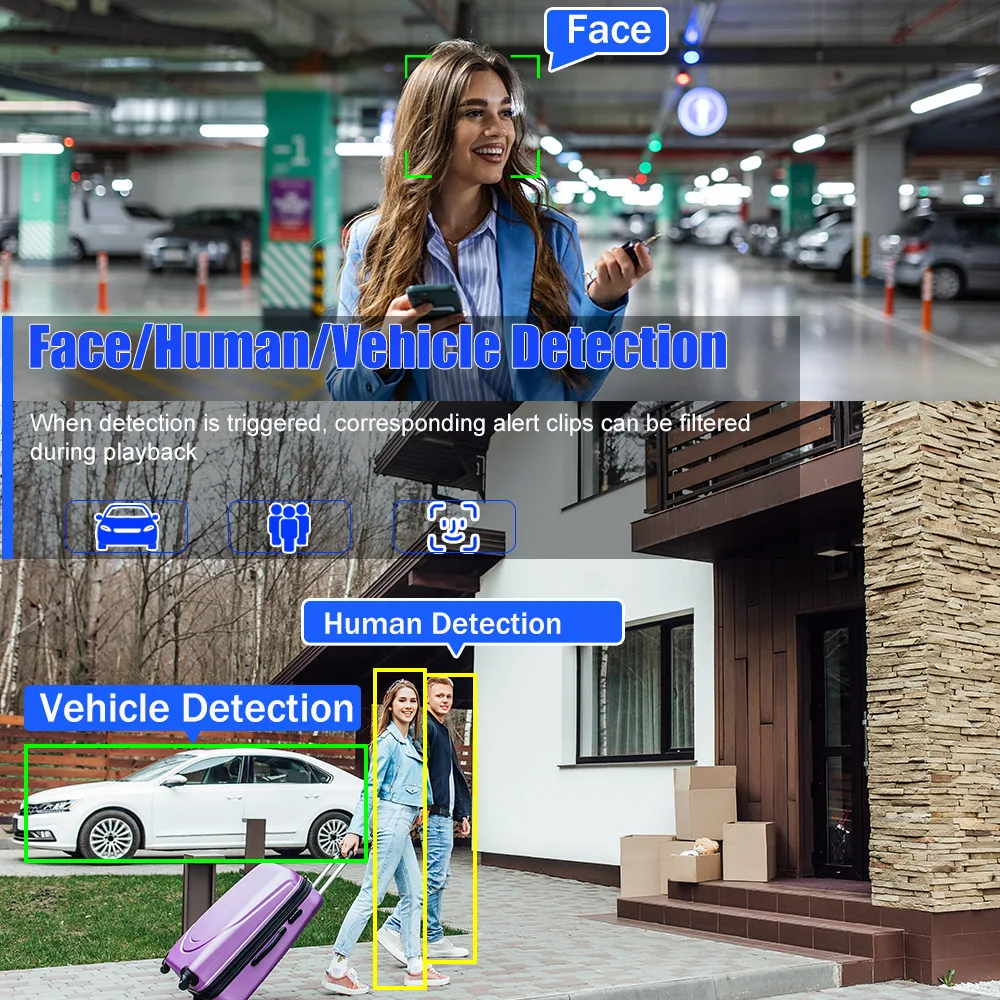
It supports face detection, person detection, and vehicle detection functions.
If you want to use these functions, you must use a camera that supports the NETIP protocol with the same capabilities.
The ONVIF protocol can only perform motion detection and does not support these AI features.
Therefore, please pay attention to your camera's functions and supported protocols when making a purchase.
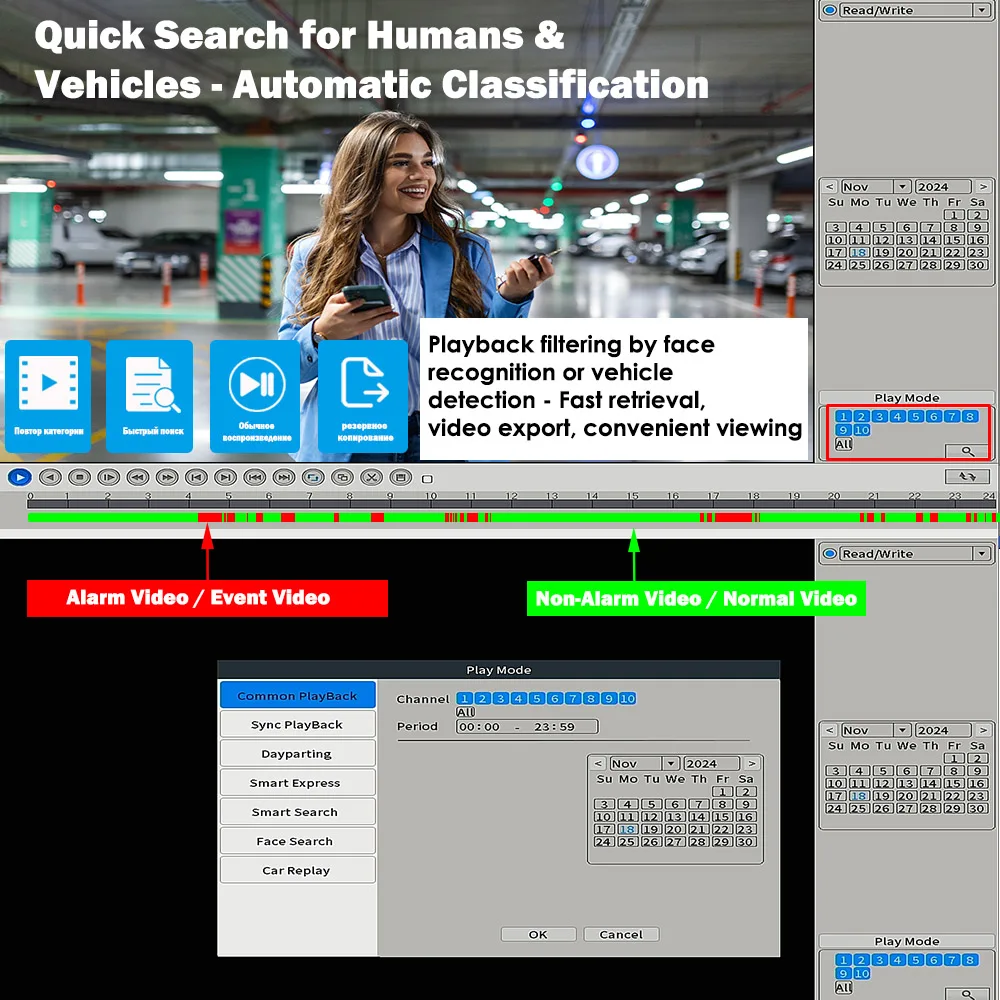
Intelligent Playback
Based on the explanation above, if your camera supports face detection and vehicle detection under the NETIP protocol, the system will automatically list triggered face and vehicle alarm videos for you to select during playback.
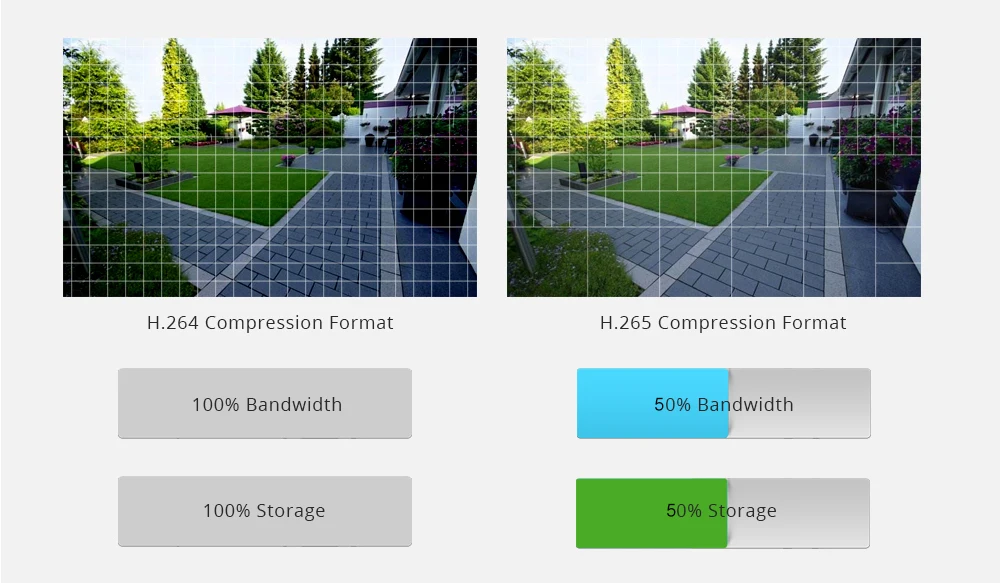
Advanced H.265++ Video Compression
H.265 (HEVC) doubles the coding efficiency compared with its predecessor H.264. That means H.265++ video saves around 70% of the bit rate at the same quality of coding.

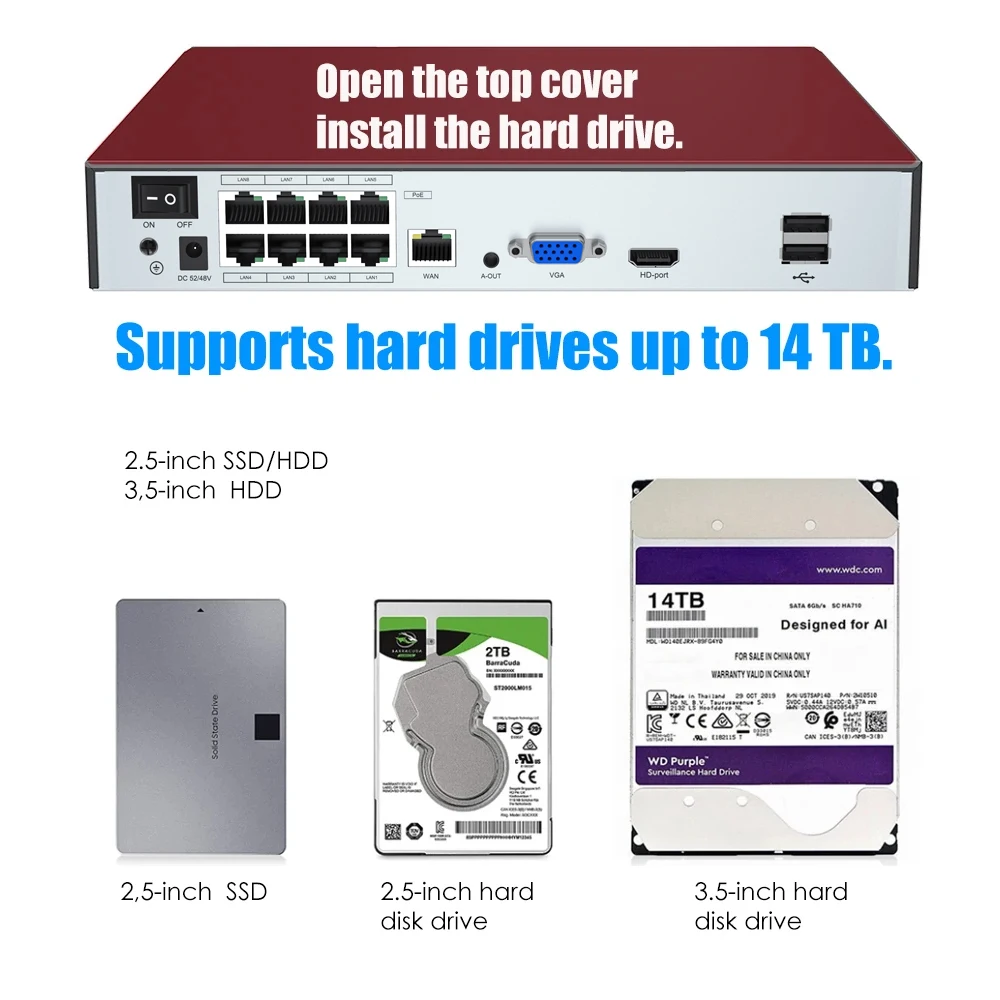
Hard Drive Requirements
1: New hard drives are recommended.
2: If a second-hand hard drive is used, ensure the power supply meets the drive's requirements.
3: When using a 4TB or larger hard drive, verify it is recognized by the system before installation.
Notice:
Note regarding second-hand surveillance hard drives:
Surveillance hard drives differ from standard computer hard drives. Some drives may be recognized by a computer but fail to be detected by the recorder. In such cases, the issue is most likely due to the hard drive itself, rather than quality-related reasons. If this occurs, please replace it with a brand-new hard drive for testing.
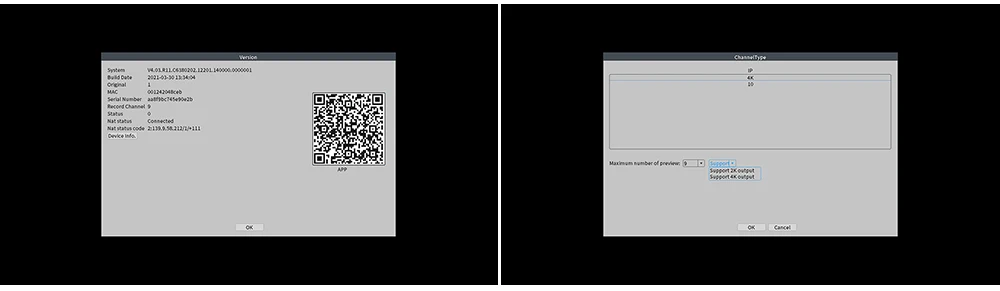
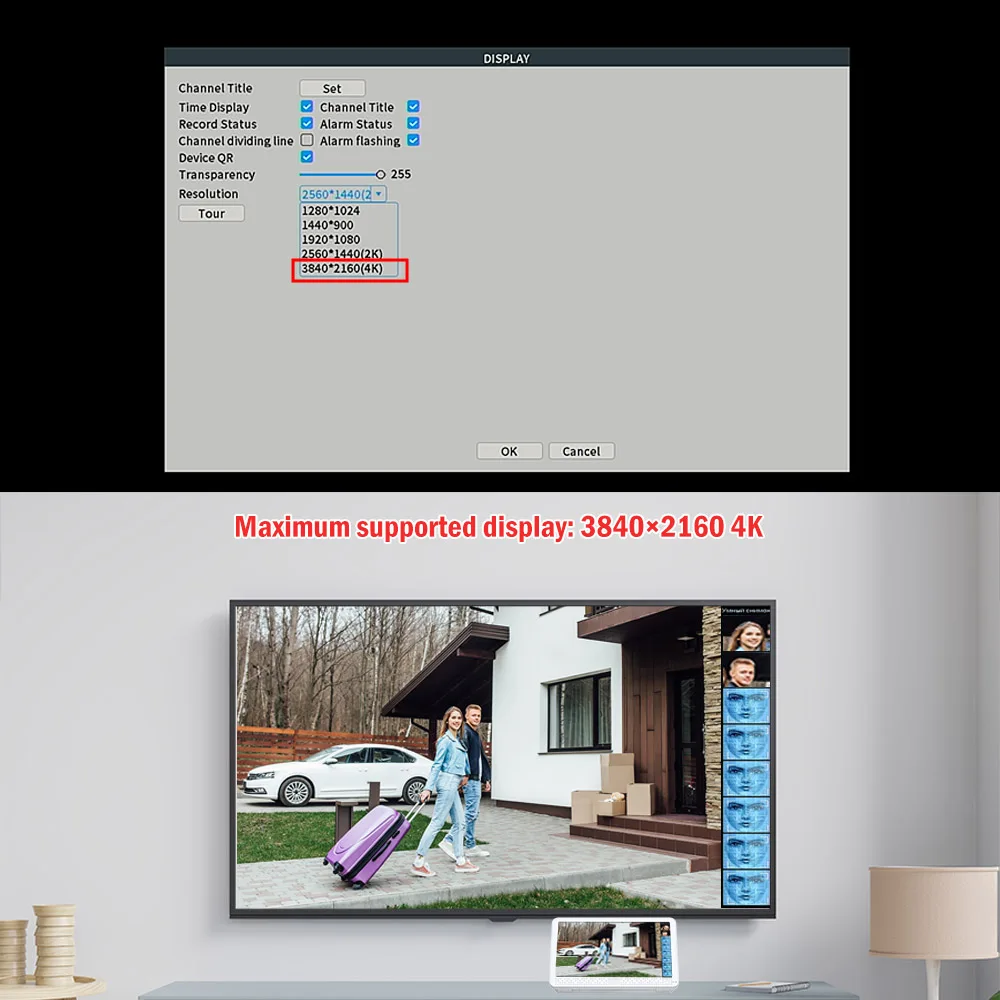
4K Maximum Resolution Video Output
The default video output is 1280x1024 resolution via the VGA interface.
If the screen remains black when using an HD interface, please switch to a monitor that supports this resolution. Alternatively, use the VMS software to change the recorder's output resolution to an HD-compatible setting, such as 1920x1080, before connecting to an HD interface monitor.
Remote Access Support
Support PC Soft VMS, remote website www.xmeye.net, iPhone/ Android Phone APP XMeye Pro.

Package Information & Product Design
1 PCS NVR
1 PCS Manual
1 PCS 48-52V 1.5A for 4CH or 48-52V 2.3A for 8CH (Only EU Adapter)
1 PCS Mouse
This Device not support Wifi Adapter
In the new enclosure design, a fan has been added to help dissipate more heat from the hard drive within the limited space, thereby enhancing performance.
Buttons, indicator lights, and front-facing USB ports are all designed for greater convenience in use.
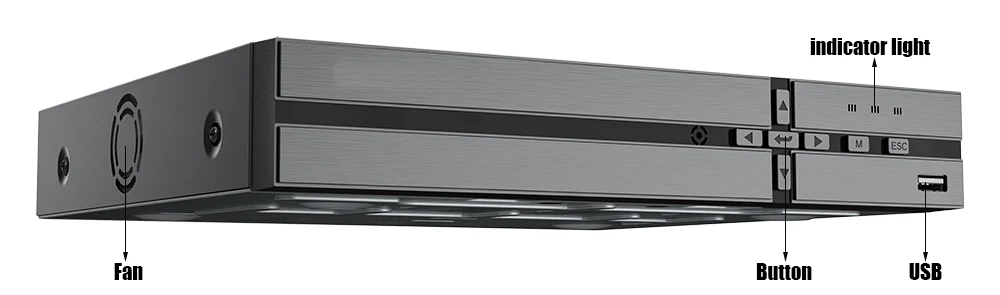
Item Interface Note
The pictures are for reference only, sometimes product updates will bring subtle differences. If you need to be 100% consistent with the pictures, please contact customer service for advice.
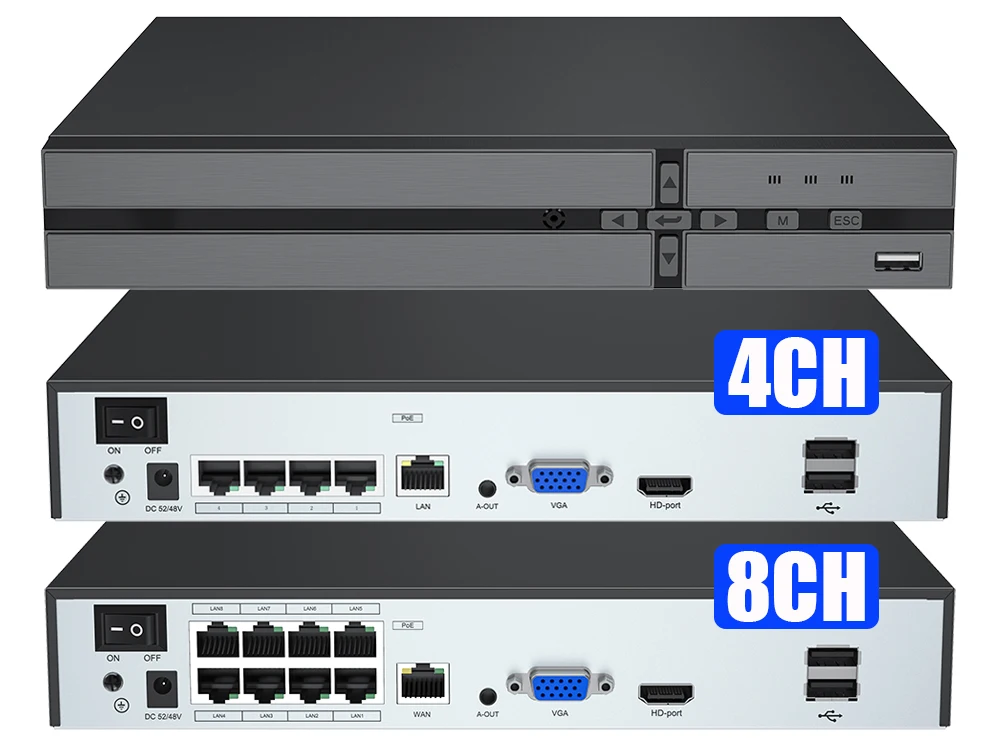
Detailed Specification Table
| Specification | H.265 4CH POE NVR | H.265 8CH POE NVR | |
| System | Main processor | XM Technical grade embedded microprocessor | |
| Operating system | Embedded LINUX operating system | ||
| System resource | Multi-channel real-time recording synchronously, multi-channel real-time playback, multi-channel multi-user network operation, USB back up. | ||
| Interface | Operation interface | 16bit real color GUI interface support mouse operation | |
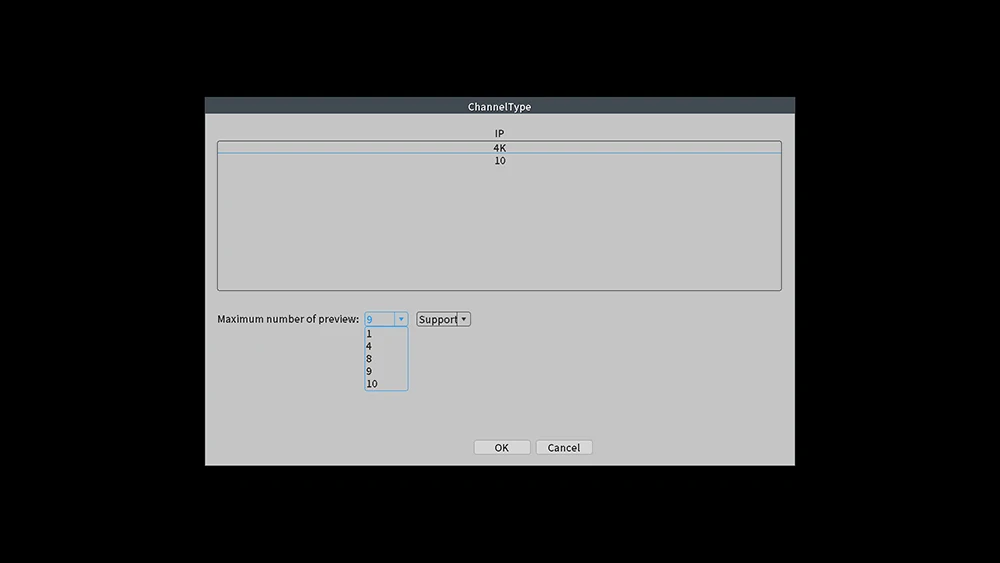
| Preview | 1/2/4/6/8/9/10 | ||
| Video | Video standard | PAL; NTSC | |
| Image encode | H.265+ | ||
| Monitor quality | VGA,HDMI-Compatible:High definition | ||
| Video input | 4*4K POE Camera +6CH 4K IP Camera(From Router or Switch) | 8*4K POE Camera +2CH 4K IP Camera(From Router or Switch) | |
| Motion detection | Support (Depend on camera) | ||
| Face Detection | If your camera supports face detection functions under the NETIP protocol, the recorder will be able to perform the same detection. If your camera only supports the ONVIF protocol, the recorder will not be able to perform face detection functions. | ||
| Vehicle Detection | If your camera supports Vehicle detection functions under the NETIP protocol, the recorder will be able to perform the same detection. If your camera only supports the ONVIF protocol, the recorder will not be able to perform Vehicle detection functions. | ||
| Audio | Audio compression | G.711A | |
| Intercom | Yes | ||
| Record&Playback | Record mode | manual>alarm>motion detection>timing | |
| Local playback | 4K/8MP(1CH Realtime) | ||
| Video search | Time, date, event, channel search | ||
| Storage&Back up | Video storage | Local HDD ,Network | |
| Back up mode | Network backup, USB portable HDD,USB imprint,SATA imprint | ||
| Interface | Video input (BNC) | N/A | |
| Video output | 1ch VGA,1ch HDMI-Compatible HD output | ||
| Loop output | N/A | ||
| Audio Out | Yes | ||
| Alarm I/O | NO | ||
| Network port | 1*RJ45 100M self-adaptive Ethernet port; 4*POE ports support poe power supply | 1*RJ45 100M self-adaptive Ethernet port; 8*POE ports support poe power supply | |
| POE Model | 802.3 af/at 12+36-& data. If your camera POE model is 1236 data, 45+78- , will not work | ||
| PC/Laptop Remote | Support web,CMS/ VMS, center platform management software XMEYE /xmeye Pro | ||
| USB port | 2*USB2.0 port, one is for mouse,the other one is for usb disk | ||
| HDD port | 1 SATA ports,max support 14TB (HDD is option) | ||
| Other | Power | 48-52V 1.25A | 48-52V 2.3A |
| Temperature | -25°C ~ 50°C (-13 ° ~ 122 °) | ||
| Humidity | 10%-90% | ||
| Dimension | L300mm* W235mm* H45mm | ||
| Weight | Around 1.6KG | ||
Application Scenarios
Simple and convenient connection, suitable for home, office, factory, school, shop.